
Meet Mia - your AI content manager
Compose once and publish to 18 platforms — from Steam News to TikTok. Turn shipped tickets into dev logs and release notes automatically. Bring your own AI and your own API keys, and keep your brand standing entirely your own.
Mia drafts, improves, and answers in your brand voice across all of them — so you can get back to the work only you can do.
Free tier, no card. Solo from $7/month when you outgrow it.
The busywork Mia takes over
- Per-platform rewritesone post in, every platform's voice out
- Composer drafts and improvementsan editable preview, never an auto-post
- Inbox reply draftsmentions answered in your brand voice
- Dev logs and release notesfirst drafts from your shipped tickets
Every AI feature runs on your own API key — no per-seat AI surcharge exists to pay.
Mia connects to OpenAI, Anthropic, Gemini, OpenRouter, Groq, Z.ai, Grok, or a local or self-hosted model. Media Manager ships no AI bill.
The checklist is the point
Where Media Manager standsvs SaaS + OSSMia
Composer assist — runs on your key
Here's a draft — three short grafs with a cozy rhythm and one safe nod to the new pet companion, spoiler-free.
It follows your brand-voice brief and leaves hashtags to your UTM template.
Illustration — Mia lives in the composer's assist dialog and drafts into an editable preview.
Prefer to browse first? Start free — Mia is in the composer from day one.
18
publish targets from one composer
10
AI providers Mia can run on
from $0
to start — the free tier needs no card
2
build flavors — cloud and self-host
Compared
Where Media Manager stands
A straight answer against the two dominant shapes of this category — the established SaaS suites and the open-source schedulers.
| Capability | Media Manager | Typical SaaS suite | Open-source schedulers |
|---|---|---|---|
| Platforms | 18, incl. Steam News + creator platforms | ~10 mainstream | 20+ mainstream |
| Dev logs & release notes from your tickets | |||
| Bring-your-own developer accounts | Every OAuth platform | Partial | |
| AI with your own key + brand voice | Metered on paid tiers | ||
| Approval workflow + external sign-off links | Higher tiers | Varies | |
| Agent automation (MCP server + webhooks) | Limited | ||
| Embeds into your suite (SSO deep-link embed) | |||
| Steam News export, creator-platform flows | |||
| Self-hostable |
The checklist is the point — and it starts free: Solo from $7/mo when you outgrow it, no card to start.
Compared against the 2026 feature sets of the leading SaaS suites and open-source schedulers. Vendor names omitted — the checklist is the point.
How it works
Three steps to your first scheduled post
No demo call, no implementation project. Connect, compose with Mia, and let the calendar carry the rollout.
Connect your accounts
1Walk the OAuth wizard once — on every OAuth platform, posting runs through your own registered developer app. Paste-style platforms need only a credential you already own.
Compose with Mia
2Draft and improve in the composer's assist dialog. One canonical post goes in; each platform's transcription comes out, on your own API key.
Back to MiaReview, schedule, measure
3Team approvals where you want them, quiet hours and best times from your own engagement data, and statistics that admit a platform's gaps.
Built different
Four things nobody else in the category does
Not checkboxes — structural differences in how Media Manager is built and whose interests it serves.
Dev logs and release notes from your real tickets
Connect your TaskJoe board and Media Manager turns completed tickets into editable dev-log and release-notes drafts — with deep links back to every source ticket. It even embeds inside your suite: 2nd Shift's Social module opens Media Manager signed in, in place. No competitor does this, because none of them run your pipeline.
Bring your own developer accounts
On every OAuth platform — X, Instagram, TikTok, LinkedIn, Reddit, Threads, Patreon — posting runs through your own registered app. Your rate limits, your app standing, your API relationship. A stranger's ban can never take your channels down.
Every AI feature, your own API key
Post drafts, draft improvements, inbox replies, and the dev-log and release-note weaves — all running on your OpenAI, Anthropic, Gemini, OpenRouter, Groq, Z.ai, Grok, or local model key. One brand-voice brief steers all of it. No per-seat AI surcharge exists to pay.
Steam, Patreon, SubscribeStar, OnlyFans
The platforms your audience actually uses — including Steam News export formatted for Steamworks and honest copy-and-mark-sent flows where platforms prohibit automation. Niche doesn't mean missing.
The difference is your keys
Other schedulers post through their own apps and meter their own AI. Media Manager runs on your registered developer apps and your own API key — your rate limits, your reach, your voice. And it embeds into your suite: 2nd Shift's Social module opens it signed in, in place.
Meet MiaThe pro standard
Everything the established tools charge for
Scheduling, team review, analytics, an inbox — the checklist any serious tool must clear. Media Manager clears it, then keeps going.
Compose once, publish everywhere
Author a single canonical post; each platform gets its own transcription, preview, and optional hand-tuned override before anything goes out.
Calendar, queue, quiet hours
Drag to reschedule, respect per-account quiet hours, and let best-time suggestions read your own engagement data — never a fabricated default.
Team review built in
Draft → review → schedule with submitter-excluded approvals, plus cookieless sign-off links for clients and publishers who never need a seat.
Unified inbox
Mentions and replies from Bluesky, Mastodon, and X in one stream — with AI-drafted replies in your brand voice when you want them.
Content vault
Renders, screenshots, and press kits with per-platform crops, permalinks, and versioning — ready to attach or share.
Statistics that admit gaps
Cross-platform rollups, growth timelines, CSV exports. Metrics a platform doesn't expose render as not available — never a fake zero.
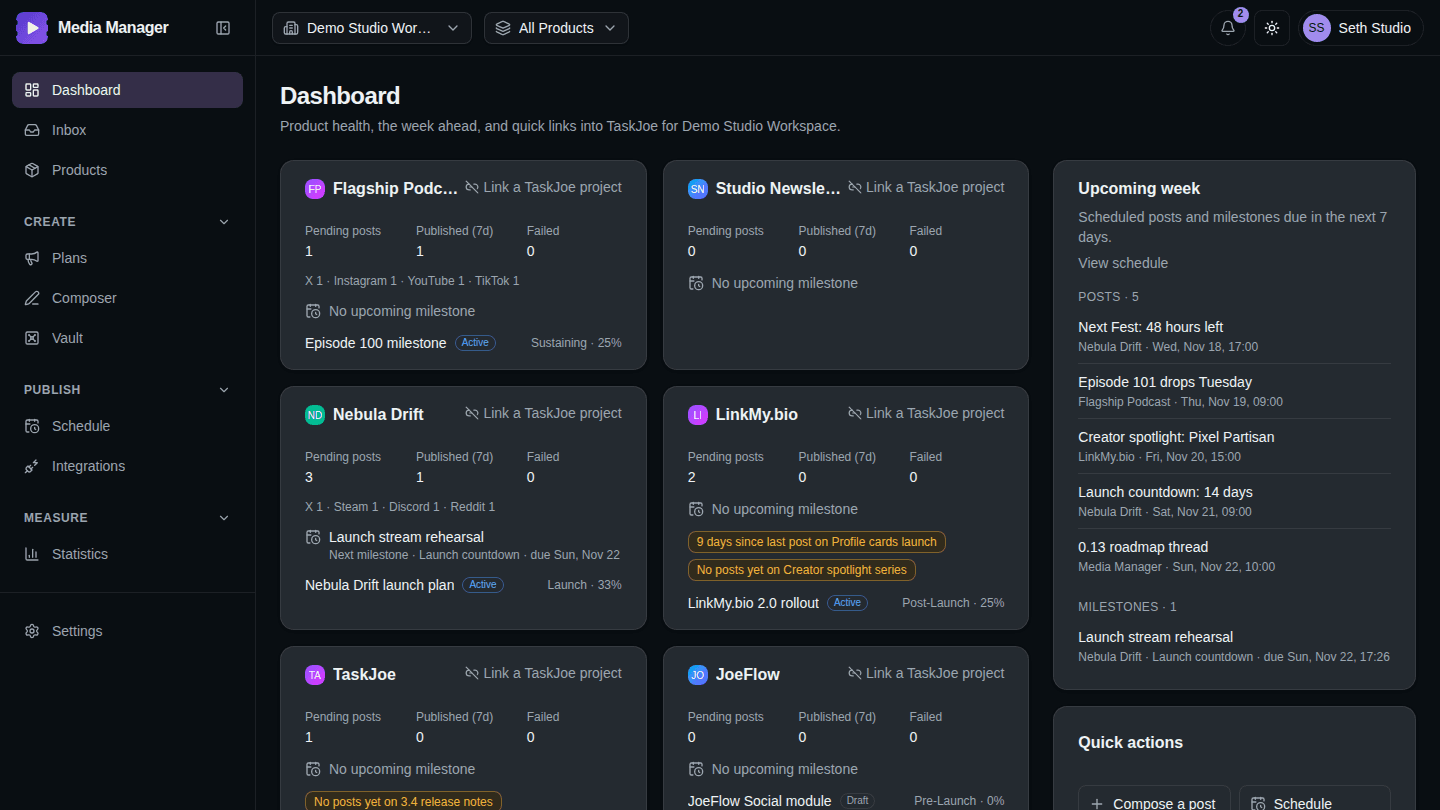
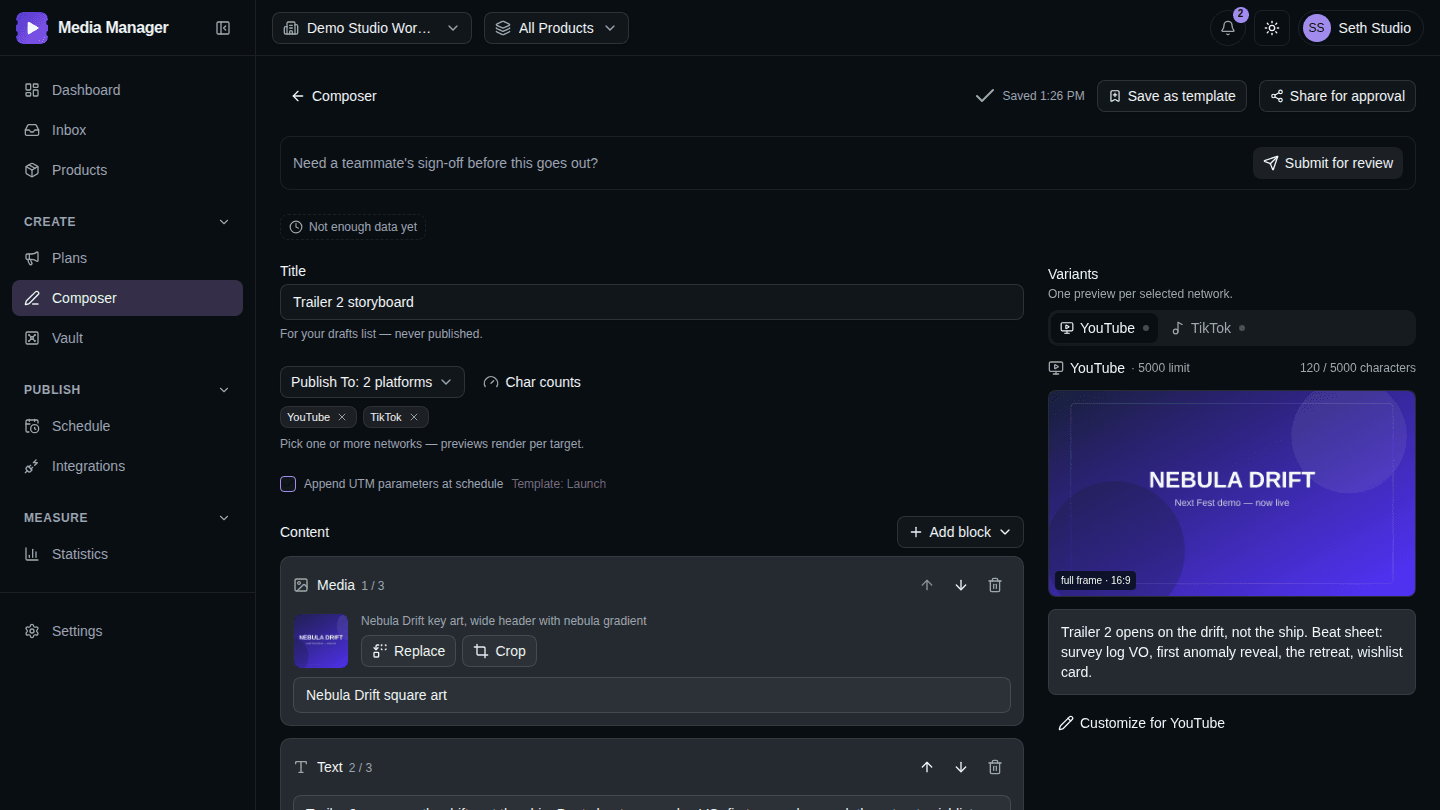
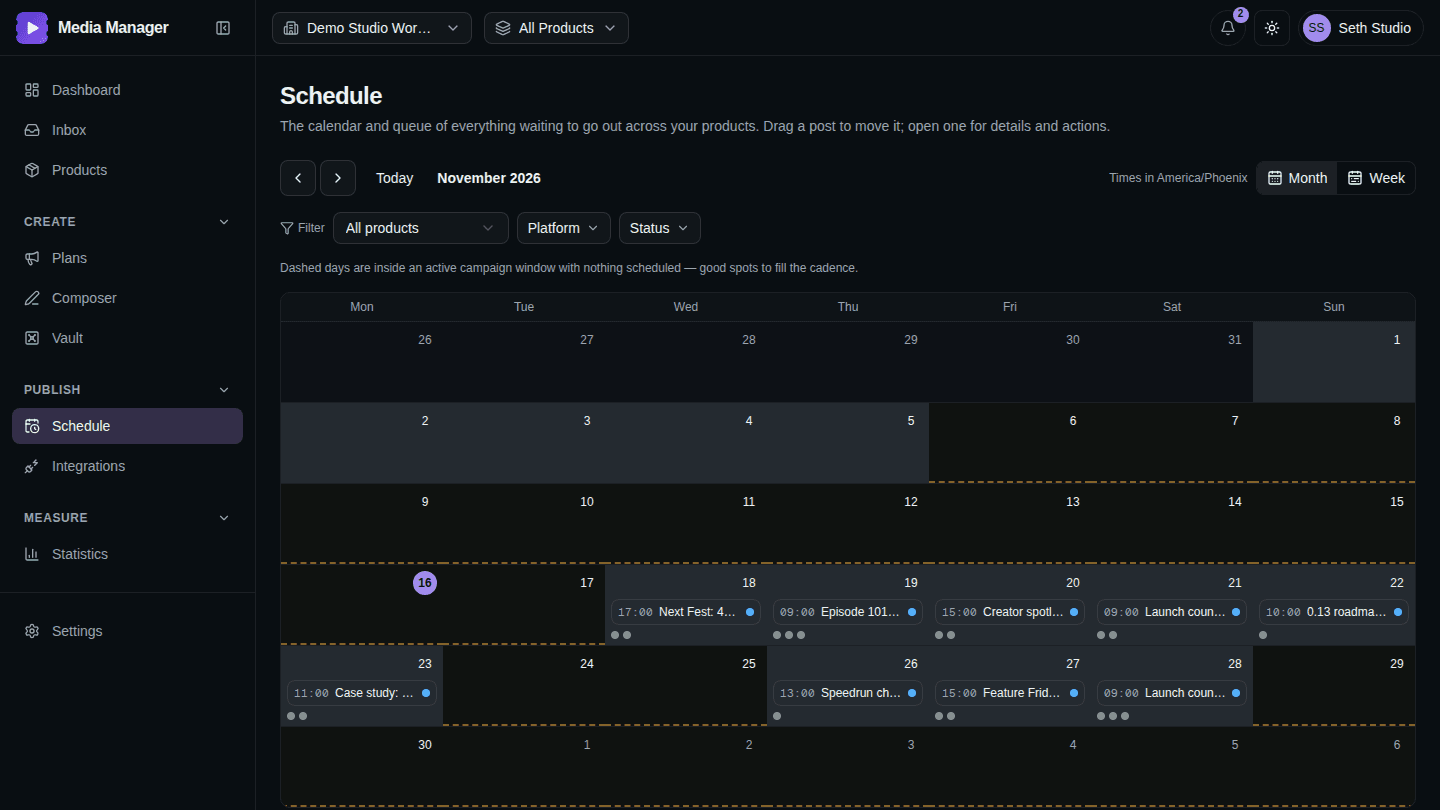
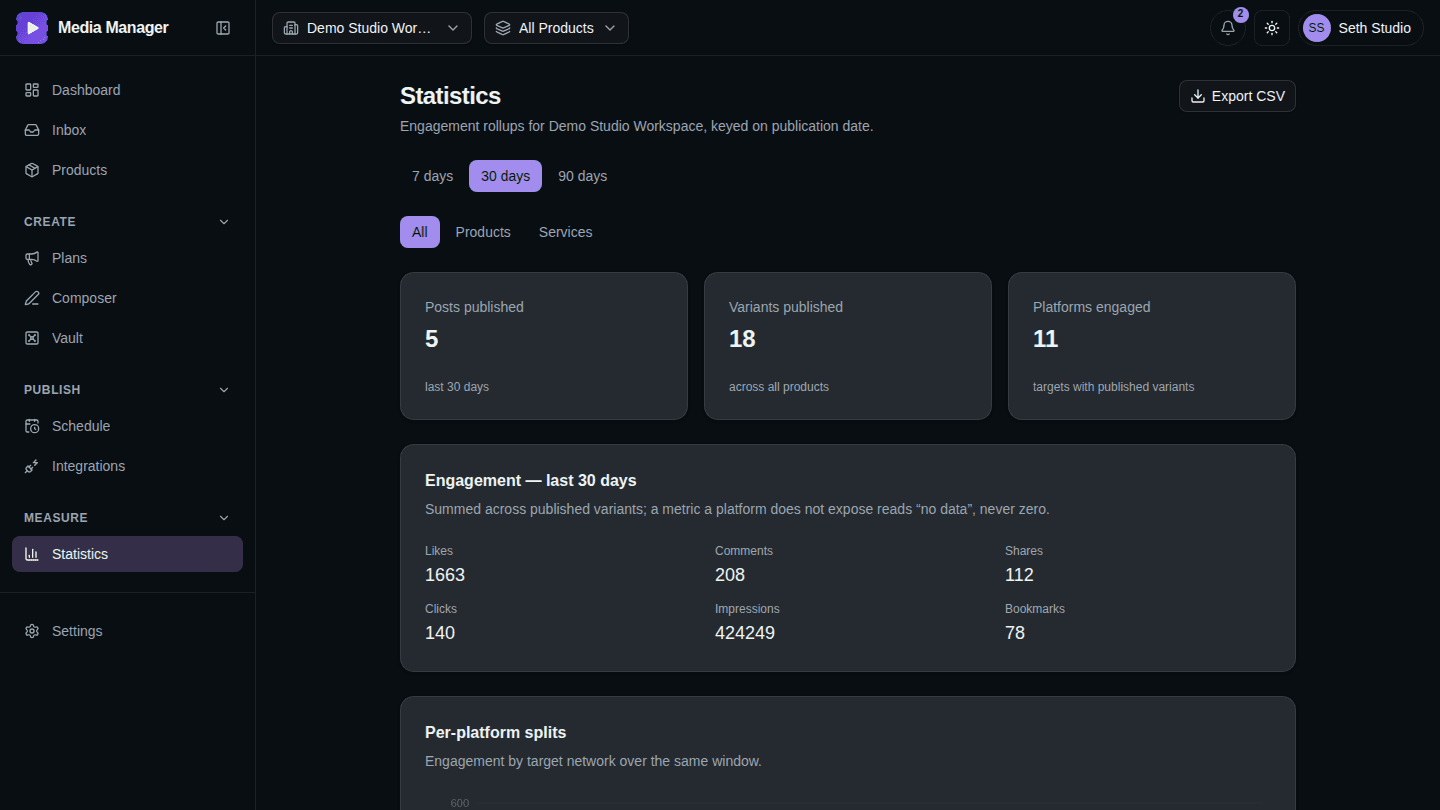
Real builds of this app — the demo workspace, dark theme.
Pricing
Start free. Upgrade when the work does.
Every tier includes the composer, calendar, and inbox. Paid tiers add seats, products, connections, and exports.
Free
$0/mo
The full composer, one product.
- 1 product, 1 seat
- Connect your platforms and publish
- 3 plans · 5 posts/week per plan
- Full composer + inbox
Solo
$7/mo
or $70/year — two months free
- 3 products, integrations on
- All publishing flows
- Stats exports (CSV + JSON)
- AI on your own key
Studio
$20/mo
or $200/year — two months free
- 5 seats, 10 products
- CSV exports + Discord add-on
- TaskJoe add-on included
- Team review + approvals
Enterprise
from $30/mo
$6/seat, $4/product above 5 seats
- Admin-set limits per org
- TaskJoe add-on included
- Priority platform support
- Self-host option
Questions
The honest answers
Who is Mia?
Mia is the name of the assistant behind every AI feature in Media Manager — composer drafts, draft improvements, inbox reply drafts, and the dev-log and release-note weaves. Mia runs on your own provider key, and one brand-voice brief keeps every generation sounding like you. There is no per-seat AI surcharge to pay.
Do I need to register developer accounts?
For the OAuth platforms — X, Instagram, TikTok, LinkedIn, Reddit, Threads, Patreon — yes, and the built-in wizard walks you through each one. Paste-style platforms like Bluesky, Telegram, Discord, WordPress, and Ghost need only a credential you already own. It is more setup than a shared-app tool; it is also why your reach never depends on someone else's ban.
Is AI an extra charge?
No. Media Manager ships no AI bill — you connect your own provider (OpenAI, Anthropic, Gemini, OpenRouter, Groq, Z.ai, Grok, or a local or self-hosted model) and every feature runs on it. A one-paragraph brand-voice brief keeps all of it sounding like you.
Which platforms can actually publish?
Sixteen take connections and publish through APIs or pasted credentials — including YouTube videos, uploaded straight through YouTube's resumable API. Steam News and YouTube Community posts are draft-and-export targets because those surfaces offer no posting API; Patreon, SubscribeStar, and OnlyFans use guided copy-and-mark-sent flows. Where a platform prohibits automation, Media Manager says so instead of pretending.
What does the TaskJoe integration add?
Media Manager links to your TaskJoe boards, keeps ticket status and dates in sync, and generates dev logs and release notes from what actually shipped — with deep links from every drafted line back to the source ticket. If you run 2nd Shift, Media Manager embeds straight into its Social module, signed in through single sign-on.

Your next release deserves a rollout
Set up a workspace in minutes, connect the platforms you already post to, and let the next dev log write its own first draft.